
To speed up a stuck transaction, submit a replacement using the same nonce with a higher priority fee. To cancel it instead, submit a zero-value replacement with that same nonce. Either move only works while your original transaction is still sitting unconfirmed in the mempool. Once a miner or validator includes it in a block, it's permanent.
Here's your 60-second checklist:
- Confirm it's actually pending. Look up your transaction hash on Etherscan or your chain's block explorer.
- Use your wallet's built-in tool. MetaMask has "Speed Up" and "Cancel" buttons; Bitcoin wallets rely on Replace-by-Fee (RBF) or Child-Pays-For-Parent (CPFP).
- Raise the fee enough to matter. Bump your priority fee at least 10% above the original, or match whatever your gas tracker calls "fast."
Quick fact: MetaMask's own guidance recommends a priority fee increase of at least 10%, with a max fee up to roughly 30% higher in cases of heavy congestion. The tools that matter here are MetaMask, Ledger (via MetaMask desktop), the Etherscan gas tracker, and Bitcoin's RBF and CPFP mechanisms. We'll walk through each.
Key Takeaways
Fixing a stuck transaction almost always comes down to resubmitting with the same nonce and a fee that matches current network demand.
| Point | Details |
|---|---|
| Speed up with same nonce | Resubmit with a priority fee at least 10% above the original to jump the queue. |
| Cancel with zero value | Submit a replacement at the same nonce with zero value to void the original transaction. |
| Ledger requires desktop | Use MetaMask desktop with your Ledger connected and unlocked for manual resubmits. |
| Bitcoin uses RBF or CPFP | Choose RBF if you're the sender with it enabled, or CPFP if a spendable change output exists. |
| Prevent it before it happens | Compare fees and routes on Omnirout before executing a swap or bridge transaction. |
Table of Contents
- How Do You Speed Up a Stuck Transaction in MetaMask?
- What Do Ledger Users Need to Do Differently?
- How Do You Fix a Stuck Bitcoin Transaction?
- How Do You Check If a Transaction Is Really Stuck?
- What Happens When You Can't Cancel or Speed Up?
- What Mistakes Should You Avoid When Replacing a Transaction?
- Frequently Asked Questions
- Sources
How Do You Speed Up a Stuck Transaction in MetaMask?
MetaMask builds this directly into the interface, which makes it the fastest fix for most Ethereum and EVM chain users.
Open your wallet, find the pending transaction, and you'll see two options sitting right next to it: Speed Up and Cancel. Speed Up resubmits the same transaction with a higher fee so it jumps the line. Cancel resubmits a zero-value transaction using the identical nonce, which effectively voids the original once it confirms instead.
Here's the sequence:
- Open MetaMask and locate the pending transaction in your activity list.
- Click Speed Up to resubmit with a higher fee, or Cancel to void it.
- Let MetaMask auto-fill suggested gas values, or edit them manually if you want more control.
- Confirm and wait for the replacement to land in a block.
MetaMask will often suggest a max fee up to about 30% higher than what you originally set, especially during busy periods on the network.
One detail trips people up constantly: nonce order. If you have several transactions queued, tackle the oldest one first (the lowest nonce). Everything behind it is stuck waiting regardless of what fee you throw at the newer ones.
Pro Tip: Before you touch anything, close MetaMask completely and reopen it, or refresh your browser. Wallets occasionally display a transaction as pending after it already confirmed or dropped, and a simple refresh saves you from replacing something that doesn't need replacing.
Warning: Double check the nonce and gas limit before confirming any manual edit. Get the nonce wrong and you can accidentally create a second transaction instead of replacing the first, which leaves you paying gas twice and still stuck.
What Do Ledger Users Need to Do Differently?
If you're signing transactions with a Ledger device through MetaMask, you're stuck doing this on desktop. There's no shortcut here: the Speed Up button in the mobile app frequently doesn't recognize hardware wallet transactions, and Ledger's own support documentation confirms that manual resubmission through MetaMask desktop is the reliable path.
Run through this checklist:
- Connect your Ledger to your computer and unlock it.
- Open the Ethereum app on the device itself, not just the desktop interface.
- Open MetaMask desktop and find the pending transaction.
- Use Speed Up or Cancel if available, or manually resubmit with the same nonce.
- Confirm the transaction details directly on the Ledger screen before approving.
Speed Up sometimes just won't appear for Ledger-signed transactions. When that happens, your fallback is a manual replacement transaction using the identical nonce and a higher fee, built and sent from MetaMask desktop while your Ledger stays connected and unlocked.
- Desktop access is not optional for this workflow.
- The Ethereum app must be open on the device, not just plugged in.
How Do You Fix a Stuck Bitcoin Transaction?
Bitcoin doesn't have a nonce system or a one-click Speed Up button baked into the protocol, so you're choosing between three distinct tools: RBF, CPFP, and mempool accelerators.
Replace-by-Fee (RBF) lets you, as the sender, swap out your unconfirmed transaction for a new version with a higher fee, but only if RBF was enabled when you originally sent it. Most modern wallets turn this on by default now, though it's worth checking.
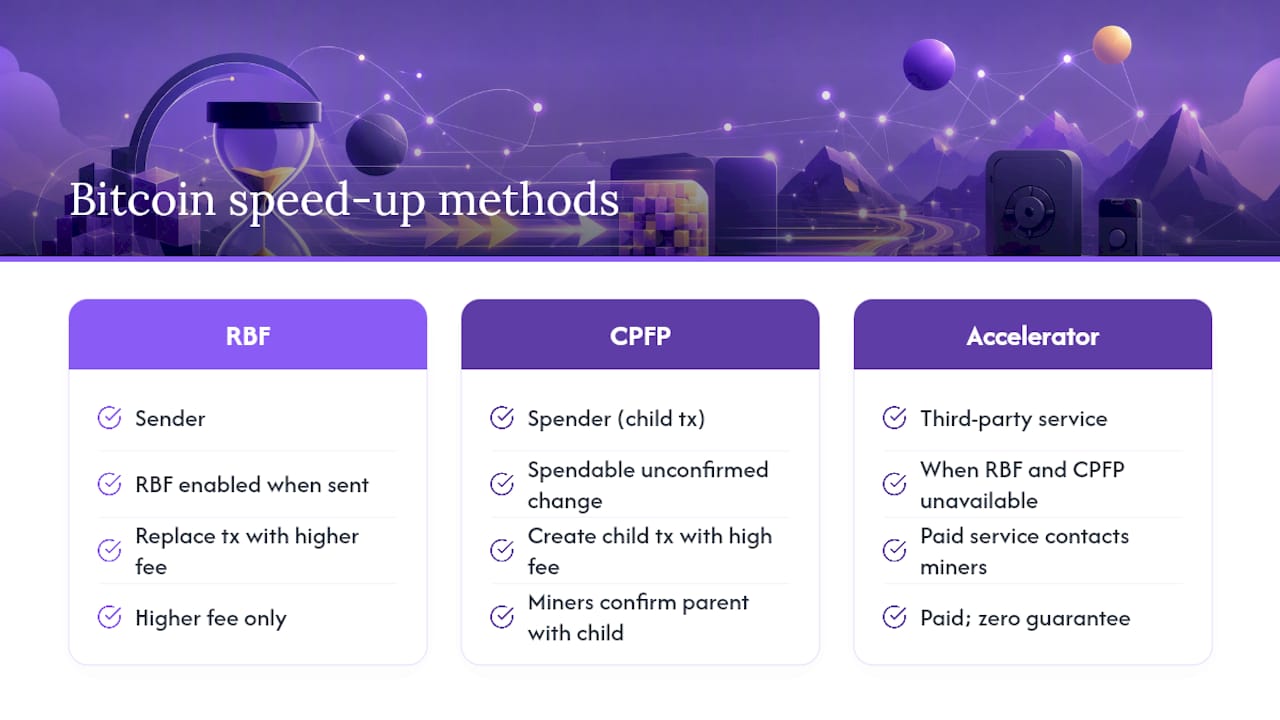
Child-Pays-For-Parent (CPFP) works when RBF isn't available. You spend an unconfirmed output, usually your own change, in a new transaction carrying a high fee. Miners want that juicy fee on the child transaction, so they confirm the parent alongside it to unlock it, according to Trezor's breakdown of the mechanism.
Mempool accelerators are third-party paid services you turn to when neither RBF nor CPFP is on the table. They cost money and come with zero guarantee, since they depend on the accelerator's relationships with mining pools rather than the protocol itself.
Pro Tip: Run through this in order: RBF if you're the sender and it was enabled, CPFP if you have a spendable change output, and an accelerator only as a last resort when the first two don't apply.
How Do You Check If a Transaction Is Really Stuck?
Paste your transaction ID (TXID) into Etherscan or your chain's equivalent block explorer. A status of "pending" confirms it hasn't been mined; "not found" often means it already dropped from the mempool entirely.
From there, pull up the Etherscan Gas Tracker to see live fee tiers, typically labeled slow, standard, and fast. Compare those numbers against what you originally paid. Transactions get stuck almost always because the fee was priced below what miners currently demand, and MetaMask's guidance is blunt about this: align your replacement fee with real-time network conditions, not with what felt reasonable an hour ago.
A quick walkthrough: say you sent a transaction with a 15 gwei priority fee, and the tracker now shows "fast" at 28 gwei.
- Always compare your original fee against current network conditions, not a fixed number.
- When in doubt, match the "fast" tier rather than guessing at a percentage.
What Happens When You Can't Cancel or Speed Up?
Sometimes a replacement just doesn't take. The network might eventually confirm the original transaction anyway, drop it after enough time passes, or accept your replacement late. Timelines vary by chain, congestion, and how aggressively you priced the new fee.
If you sent funds to an exchange or merchant, contact them directly. Recipients can sometimes assist, and exchanges can occasionally credit funds once enough confirmations pass, even on a transaction that took its time. Note that this differs sharply from traditional banking, where a pending card charge typically clears within a few business days. Blockchain settlement runs on entirely different rules.
- Resist the urge to keep spamming replacement attempts; it rarely helps and wastes fees.
- Double check your nonce sequencing before trying again.
- Consider CPFP where your wallet supports it, rather than repeated RBF attempts.
- Escalate to exchange or wallet support if a transaction sits unresolved for an extended stretch.
What Mistakes Should You Avoid When Replacing a Transaction?
Getting the nonce wrong is the single most common error, and it can jam every transaction queued behind it. Don't touch the nonce unless you understand exactly how sequencing works.
- Verify the destination address and amount before confirming any replacement.
- Remember that every replacement attempt still costs gas, so sloppy edits burn real money.
- Only connect a Ledger or other hardware wallet to a desktop you trust, and always verify transaction details on the device screen itself before signing anything.
- Vet any mempool accelerator's reputation and pricing before paying for one.
Pro Tip: Treat every replacement transaction like it's the real thing, because it is. A rushed edit with the wrong amount or address doesn't get "undone." It gets mined.
A Note From Someone Who's Been There
I've spent enough time untangling MetaMask queues and Ledger confirmations to know the panic is worse than the problem, usually. Move carefully. Once a transaction mines, that's it.
Compare Your Route Before You Ever Hit Send
The fastest way to fix a stuck transaction is to never send one that gets stuck in the first place. Most of the pain we've walked through traces back to one root cause: a fee or route that didn't match real network conditions at the moment you clicked confirm.
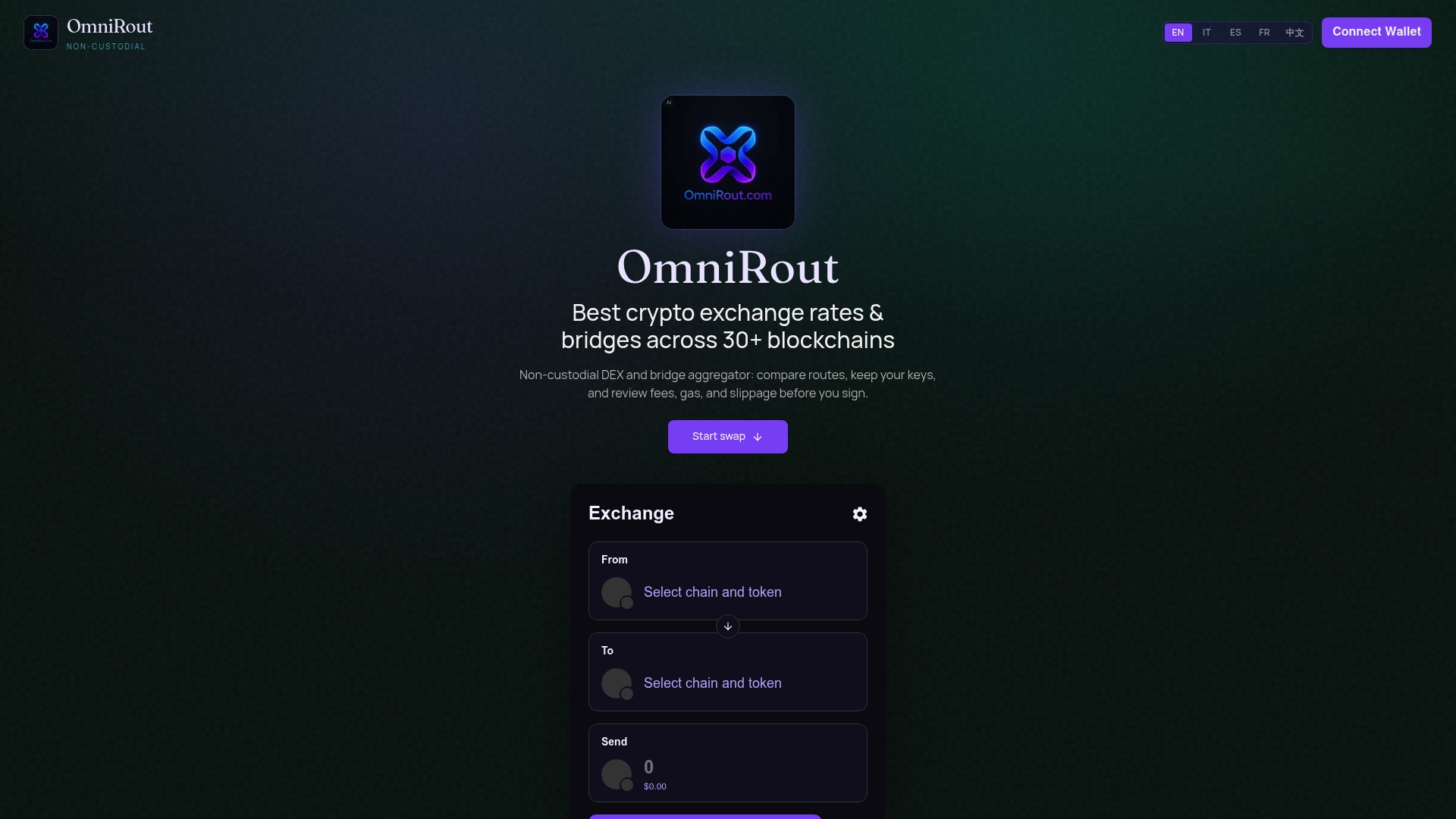
That's the exact problem Omnirout was built to solve. Before you swap or bridge assets across any of 30+ blockchains, Omnirout lets you compare gas costs, fees, and slippage across multiple routes side by side, so you're picking a path the network can actually confirm quickly rather than guessing. You stay non-custodial the entire time. Your keys never leave your control.
Run a comparison on Omnirout before your next swap, and always confirm final fees on a block explorer before you send. A few extra seconds of checking beats an hour of troubleshooting a stuck transaction later.
Frequently Asked Questions
Can I speed up a stuck transaction on any wallet? Most modern wallets, including MetaMask and hardware wallets used through MetaMask desktop, support some form of fee replacement. Availability depends on whether the wallet exposes that feature in its interface, so check your specific wallet's documentation if you don't see a Speed Up option.
How much higher does the new fee need to be? Raise your priority fee at least 10% above the original, per MetaMask's guidance.
What if my transaction has been pending for hours? Check the current status on a block explorer first. If it's still pending, resubmit with a competitive fee based on your gas tracker's live rates. If it shows as dropped, you're free to send a fresh transaction without worrying about the nonce conflict.
Is canceling a Bitcoin transaction the same as canceling an Ethereum one? No. Ethereum cancellation relies on nonce replacement. Bitcoin has no nonce, so you rely on RBF (if enabled) or CPFP to influence confirmation instead, and true cancellation isn't guaranteed the way it can be on EVM chains.
Can a mempool accelerator guarantee my transaction gets confirmed faster? No service can guarantee confirmation speed, since miners and validators ultimately decide what gets included. Accelerators improve your odds through relationships with mining pools, but they cost money and carry no formal guarantee.
This article is general information, not a substitute for advice from a qualified financial advisor. Consult a qualified financial professional about your own circumstances before acting on anything here.
Sources
- How to speed up or cancel a pending transaction | MetaMask Help Center
- How to Speed Up or Cancel Pending Ethereum Transactions in MetaMask with a Ledger Device
- How to fix a stuck Bitcoin transaction — RBF, CPFP and accelerators explained
- Etherscan — Gas Tracker