
Yes. You can swap crypto without ever handing over your private keys: Ledger Wallet's Swap tab routes your trade through vetted providers while your device signs the transaction locally. For most people, that built-in flow is a convenient and secure starting point. If you're chasing tighter spreads or more chain coverage, pairing your Ledger with a non-custodial aggregator like Omnirout gets you there without giving up control.
TL;DR:
- Ledger's marketplace aggregates over 50 providers, which increases competition but introduces variability in custody and settlement times.
- Cross-chain and multi-hop swaps typically take longer to settle, sometimes several minutes, compared to instant same-chain transactions.
- Ensuring your Ledger Wallet app and firmware are up to date is essential to access the latest routes and prevent transaction issues.
- Verifying transaction details directly on your device's screen before signing significantly reduces security risks and potential scams.
- Using route comparison tools like Omnirout can help find lower fees and better slippage control across more than 30 blockchains, especially for complex or large trades.
Table of Contents
- How Does Swapping With a Ledger Hardware Wallet Actually Work?
- How Do You Swap Crypto Using Ledger Wallet, Step by Step?
- Is It Safe From a Security and Privacy Standpoint?
- How Do You Cut Fees and Avoid a Botched Swap?
- What Does Omnirout Add for Ledger Users Who Want Lower Fees?
- Why Do Ledger Swaps Sometimes Fail, and How Do You Fix It?
- How Do You Confirm a Swap Actually Went Through Correctly?
- Decentralized or Centralized: Which Carries More Risk for a Ledger Swap?
- Are There Limits on How Much You Can Swap in Ledger Live?
- Which Swap Method Should You Actually Use?
- Try Omnirout With Your Ledger for Route-Transparent Swaps
- Sources
How Does Swapping With a Ledger Hardware Wallet Actually Work?
A Ledger device never transmits your private key anywhere, including during a swap. It signs the transaction locally, on a screen you control, after showing you exactly what you're approving. That's the entire security model in one sentence, and it's why Ledger Academy calls this the most secure way to exchange crypto: the signing step happens on hardware an attacker can't remotely touch.
What happens around that signing step is more layered. Ledger Wallet doesn't run its own exchange. It runs a marketplace that pulls quotes from outside providers, comparing rates across dozens of partners and thousands of supported assets before you pick a route. Some of those routes are pure on-chain DEX swaps that never leave your custody. Others briefly route funds through a provider's own infrastructure, especially for cross-chain pairs or less liquid tokens.
A few mechanics worth understanding before you tap "confirm":
- Ledger acts purely as the signer; the provider you select handles execution and routing.
- The Swap Tab's marketplace model was rebuilt specifically to add resilience, with slippage warnings and gas-sponsoring features baked into the newer version.
- Fees stack: a provider fee or spread, plus on-chain gas, plus a bridge fee if the swap crosses chains.
- Companion-app swaps inside Ledger Wallet are easier and pre-vetted; connecting directly to a DeFi aggregator can undercut those fees but demands more manual attention to routing and liquidity.
How Do You Swap Crypto Using Ledger Wallet, Step by Step?
The workflow itself is short. Getting it right the first time just means not skipping the boring prep steps.
- Update your firmware and Ledger Wallet app first. Outdated firmware occasionally blocks newer swap routes or shows incomplete transaction previews.
- Confirm your sending account holds native gas token. No ETH in an Ethereum account, no swap, regardless of how much of another token sits there.
- Open the Swap tab and select your origin and destination accounts, then enter the amount you want to trade.
- Compare the quotes returned by the marketplace, and decide between a fixed rate and a floating one. Fixed rates cost more but lock in your number; floating rates track the market and can move against you mid-transaction.
- Review the estimated fees and settlement time before you commit. Cross-chain routes routinely take longer than same-chain swaps.
- Read every line on your Ledger's screen — destination address, amount, network, fee — and only then physically sign.
- After execution, confirm the transaction ID and check the incoming balance in the same Ledger account you specified.
Pro Tip: Screenshot or write down the transaction ID before you close the app. If a cross-chain swap runs long, that ID is what support teams or block explorers will ask for first.
Treat any bridge or multi-hop route as inherently slower than a same-chain swap, and don't panic if a cross-chain trade takes several minutes to settle instead of seconds.
Is It Safe From a Security and Privacy Standpoint?
Ledger secures the signing step. It does not control what happens on the provider's side of a swap, and that distinction is where most confusion starts. Community threads on Reddit and elsewhere have described cases where a provider appeared to hold funds briefly or required identity verification on certain routes. These are user reports, not documented Ledger policy, but they're common enough to plan around.
A quick number to keep in mind: Ledger's marketplace now aggregates 50-plus swap providers. More providers means more competition on price, but it also means more variation in how each one handles custody, KYC thresholds, and settlement timing. Read the specific provider's terms before you confirm a larger trade.
Practical mitigations that actually reduce risk:
- Only install Ledger Wallet from Ledger's own site or official app stores, and never install a "swap plugin" from a third-party link.
- Check that any app you're authorizing matches the official Ledger signature; phishing kits love to mimic the swap interface exactly.
- Read the destination address, amount, and fee shown on the physical device screen every single time, even on your hundredth swap. This is the one control a remote attacker cannot spoof.
- If a route requires KYC or you're uneasy about a provider holding funds, run a small test swap first, or switch to a non-custodial DEX route instead.
How Do You Cut Fees and Avoid a Botched Swap?
Most costly swap mistakes come down to the same three things: not comparing routes, misjudging slippage, and running out of gas mid-transaction.
- Break down every quote into its parts before accepting: service fee, spread, and network gas are three separate costs that add up differently depending on the pair.
- Use a route-comparison tool to check for cheaper paths before you lock in a quote inside Ledger Wallet's marketplace.
- Set slippage tolerance deliberately. A floating rate with tight slippage protection can fail during volatile markets; a fixed-rate quote avoids that but typically costs more in fees.
- Never drain the native token balance in your sending account. Keep enough for gas, and look for gas-sponsoring options on routes that support them.
- Run a small test swap on any pair or provider you haven't used before. It costs a little in fees, but it's cheap insurance against a failed large trade.
Pro Tip: If a quote looks unusually good, check the spread separately from the headline rate. Some providers advertise a strong rate on a wide spread, which erases the advantage once gas is added.
What Does Omnirout Add for Ledger Users Who Want Lower Fees?
Ledger Wallet's marketplace is built for convenience and vetted providers. It isn't built to show you every possible route across every chain side by side, which is a different job entirely.
Omnirout is a non-custodial DEX and bridge aggregator that compares routes across more than 30 blockchains, surfacing fees, gas costs, and slippage before you ever sign anything. Nothing about that changes your custody model: you connect your Ledger through a supported Web3 connector, and the signing still happens on your device, transaction by transaction.
Where this setup earns its place:
- Cross-chain swaps where bridge fees vary wildly between routes and you want to see the spread before committing.
- Complex multi-hop trades where a single marketplace quote might hide a worse total cost than a manually compared route.
- Situations where you specifically want the fee and slippage tradeoffs visible upfront, not summarized in a single number.
If you already understand gas mechanics and are comfortable reading a route breakdown, this is where the savings tend to show up.
Why Do Ledger Swaps Sometimes Fail, and How Do You Fix It?
Most failed swaps trace back to one of a handful of causes, and almost none of them mean something is broken.
Insufficient gas is the most common culprit. If your sending account runs out of the chain's native token mid-transaction, the swap reverts. Top up the native token and retry.
Quote expiration happens when you take too long reviewing a floating-rate quote and the market moves past the provider's acceptable range. The fix is simply requesting a fresh quote and moving through the confirmation faster.
Firmware or app mismatches cause a surprising share of stuck transactions. If your Ledger Wallet app or device firmware is out of date, the transaction preview may render incorrectly or the swap tab may refuse to initiate. Update both before retrying, not after.
Stuck or pending cross-chain swaps are usually a settlement delay, not a lost transaction. Bridge routes can take longer than same-chain trades, sometimes considerably longer during network congestion. Check the transaction ID on the relevant block explorer before assuming something went wrong.
Rejected signatures almost always mean the transaction details shown on your device didn't match what you expected, and you correctly declined. Don't override that instinct. Cancel, re-check the quote, and start over rather than forcing through a signature that looked wrong.
If none of these explain a stuck swap, the provider's own support channel, not Ledger's, is usually the faster path to resolution since they control execution once your signed transaction leaves the device.
How Do You Confirm a Swap Actually Went Through Correctly?
Signing the transaction is not the finish line. Provider-reconciled swaps, especially cross-chain ones, can settle asynchronously, which means your signed transaction and your final received balance don't always update at the same moment.
Start by grabbing the transaction ID immediately after signing. Checking that ID against the destination chain's block explorer confirms you received the exact trade you approved, not a partial fill or a different asset entirely.
Next, check the balance in the specific Ledger account you designated as the destination, not just your overall portfolio view. Ledger Wallet's account-level balances update once the incoming transaction confirms on-chain, and that can lag the provider's own "complete" notification by several minutes on a busy network.
For cross-chain routes, expect a longer gap between signing and final settlement. A same-chain DEX swap often confirms within seconds to a couple of minutes. A bridge-involved swap can take considerably longer, and that delay by itself isn't a red flag. It becomes worth investigating only if the provider's estimated settlement window has clearly passed with no updated transaction status.
If the amount received doesn't match the quoted amount, check whether slippage tolerance was set wide enough to allow that difference before contacting support. Most "wrong amount received" cases are explained by slippage, not an error in the swap itself.
Decentralized or Centralized: Which Carries More Risk for a Ledger Swap?
The risk profile shifts depending on which side of a swap route you're using, and it's worth knowing which one you're actually on.
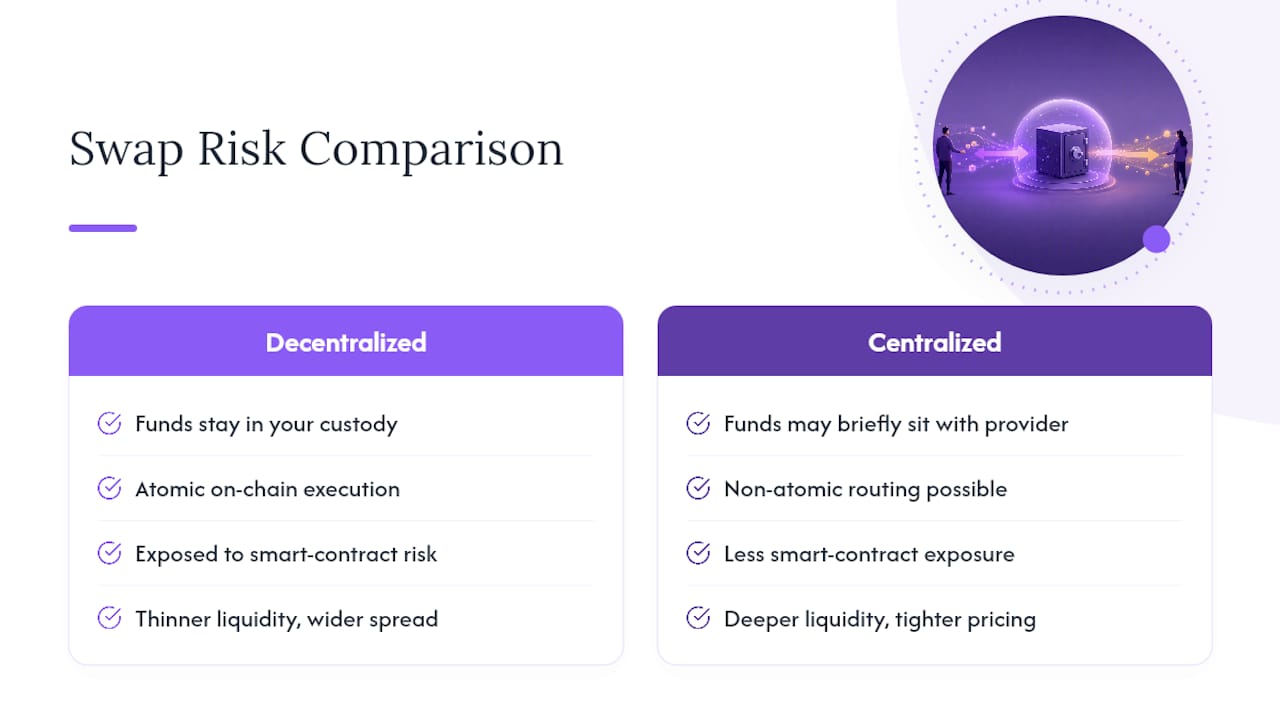
A pure on-chain DEX swap keeps your funds under your control at every step; the smart contract executes atomically, meaning the trade either completes fully or not at all. The tradeoff is that you're exposed to smart contract risk and, on some pairs, thinner liquidity that widens your effective spread.
A centralized or custodial-adjacent provider inside Ledger Wallet's marketplace can offer deeper liquidity and simpler routing, but for certain trades your funds may briefly sit with that provider before the swap completes. That's the scenario behind the community reports of providers holding funds or requesting KYC on specific routes. It isn't universal, and it isn't Ledger's own policy, but it's common enough on some provider integrations that reading the specific terms before a large trade is worth the extra minute.
Neither model is categorically safer. A well-audited DEX route with strong liquidity often beats a custodial provider on both cost and control. A reputable custodial provider with clear terms can be perfectly reasonable for a smaller, time-sensitive trade. The mistake is not checking which one you're using before you commit meaningful value.
Are There Limits on How Much You Can Swap in Ledger Live?
Ledger Wallet doesn't publish one universal swap ceiling, because the real limit usually comes from the provider fulfilling your specific quote, not from Ledger itself. Different providers in the marketplace set their own minimums and maximums per pair, and those thresholds shift with liquidity conditions on any given day.
In practice, this shows up in a few predictable ways. Very small swaps sometimes get rejected because the provider's fee would eat an unreasonable share of the trade. Very large swaps on thinner pairs may get split across routes, quoted at a worse rate, or rejected outright if no single provider can fill the full amount without excessive slippage.
For genuinely large trades, this is where a route-comparison approach pays off. Checking multiple providers, or running a route comparison through a non-custodial aggregator, shows whether a large order is better executed as a single swap or split into smaller pieces across different routes. There's no fixed dollar figure to memorize here. The practical rule is to request a quote first for the exact amount you intend to trade, rather than assuming any swap size will clear automatically.
Which Swap Method Should You Actually Use?
If clear, vetted convenience matters more to you than shaving off every basis point, use Ledger Wallet's Swap tab. It's built for that, and the device signing model backs it up.
If you already understand gas mechanics and smart contract risk, and you'd rather see the full fee breakdown before committing, connect your Ledger to a non-custodial aggregator instead. You'll do a bit more manual comparison, but you keep the pricing transparency.
Either way, the habit that matters most is the same: read what your device screen shows, every time, before you sign.
— Emanuele
Try Omnirout With Your Ledger for Route-Transparent Swaps
Omnirout gives you what Ledger Wallet's marketplace doesn't show by default: a side-by-side look at fees, gas, and slippage across more than 30 blockchains before you commit to a route. Your keys stay exactly where they are, on your device, and every transaction still gets signed there.
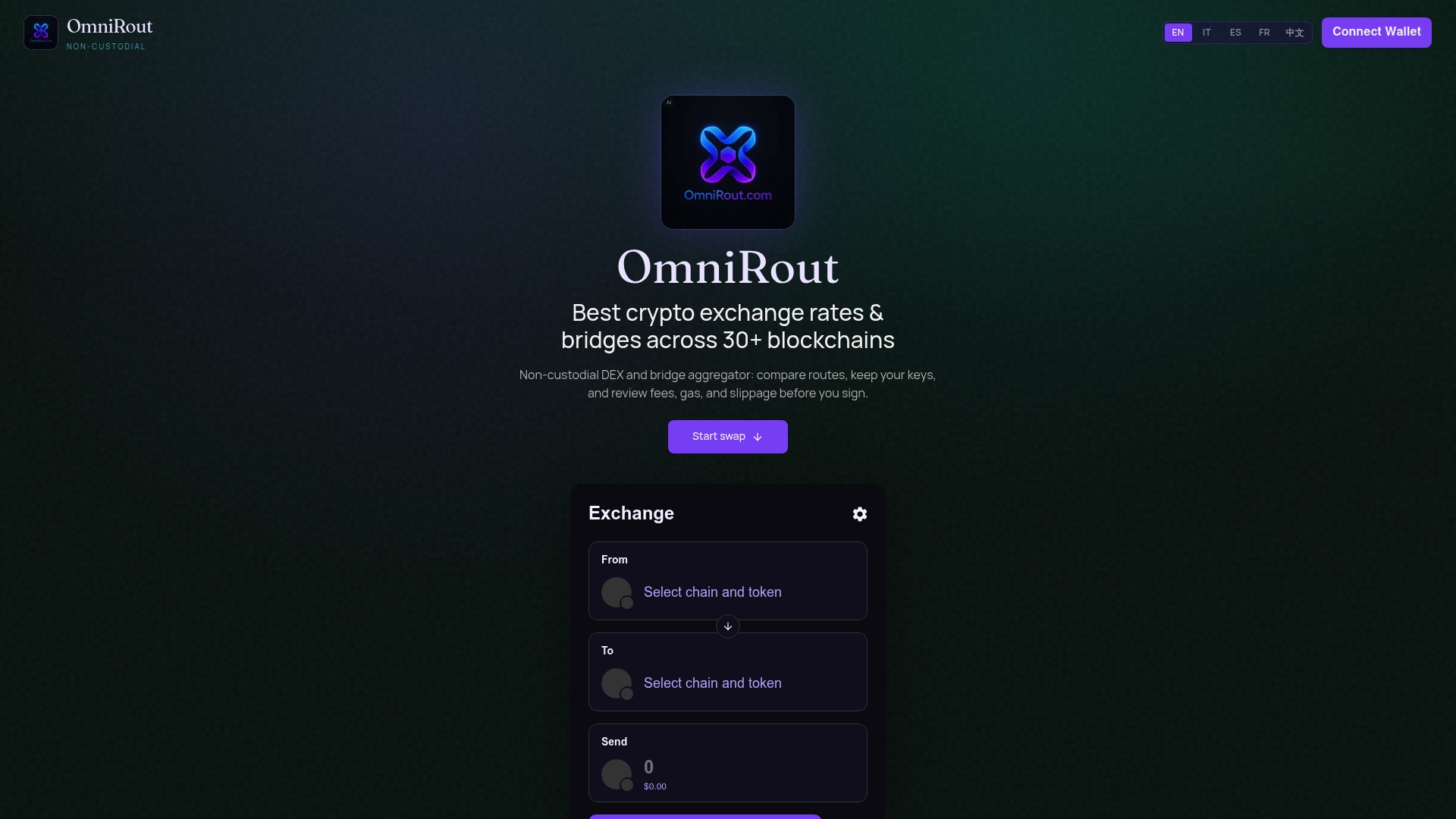
Getting started takes a few minutes. Head to Omnirout, connect your Ledger through your preferred Web3 connector, and run a route comparison on the pair you're already planning to trade. Run a small test swap first if you're new to the interface, confirm the details on your device screen, and then scale up once you've seen the full flow work end to end.
Sources
- Swap Crypto Instantly Across 100+ Chains | Ledger
- How To Swap Your Crypto Securely Via Ledger Wallet | Ledger
- Ledger developer docs — swap / exchange signing
- How to trade crypto directly from my hardware wallet connected (CompareTheCoins)